

An ecoATM isn't a bank ATM. It is a self-service kiosk where you can sell an eligible used phone, tablet, or other accepted electronics for cash.
If you're wondering what is an ecoATM, the short answer is convenience. You bring your device to a retail-location kiosk, receive an offer after inspection, and decide whether to accept it. Before you go, it helps to understand the process, ID rules, data protection steps, and price tradeoffs.
Key Takeaways
- ecoATM buys eligible used phones and some tablets through in-person kiosks.
- Sellers must be at least 18 and present an accepted, valid ID.
- Charge, back up, sign out, and factory reset your phone before selling it.
- Offers vary by device model, condition, damage, and power status.
- It suits sellers who value immediate cash over spending time seeking the highest price.
What Is an ecoATM?
ecoATM is a U.S.-based electronics buyback and recycling service that operates through kiosks in retail locations. It examines used devices and may offer cash for them on the spot. The company advertises more than 7,000 kiosks nationwide.
Unlike a traditional ATM, an ecoATM doesn't connect to your bank account or dispense money from it. It is built for people who want to sell an unused device without shipping it, meeting a private buyer, or creating an online listing.
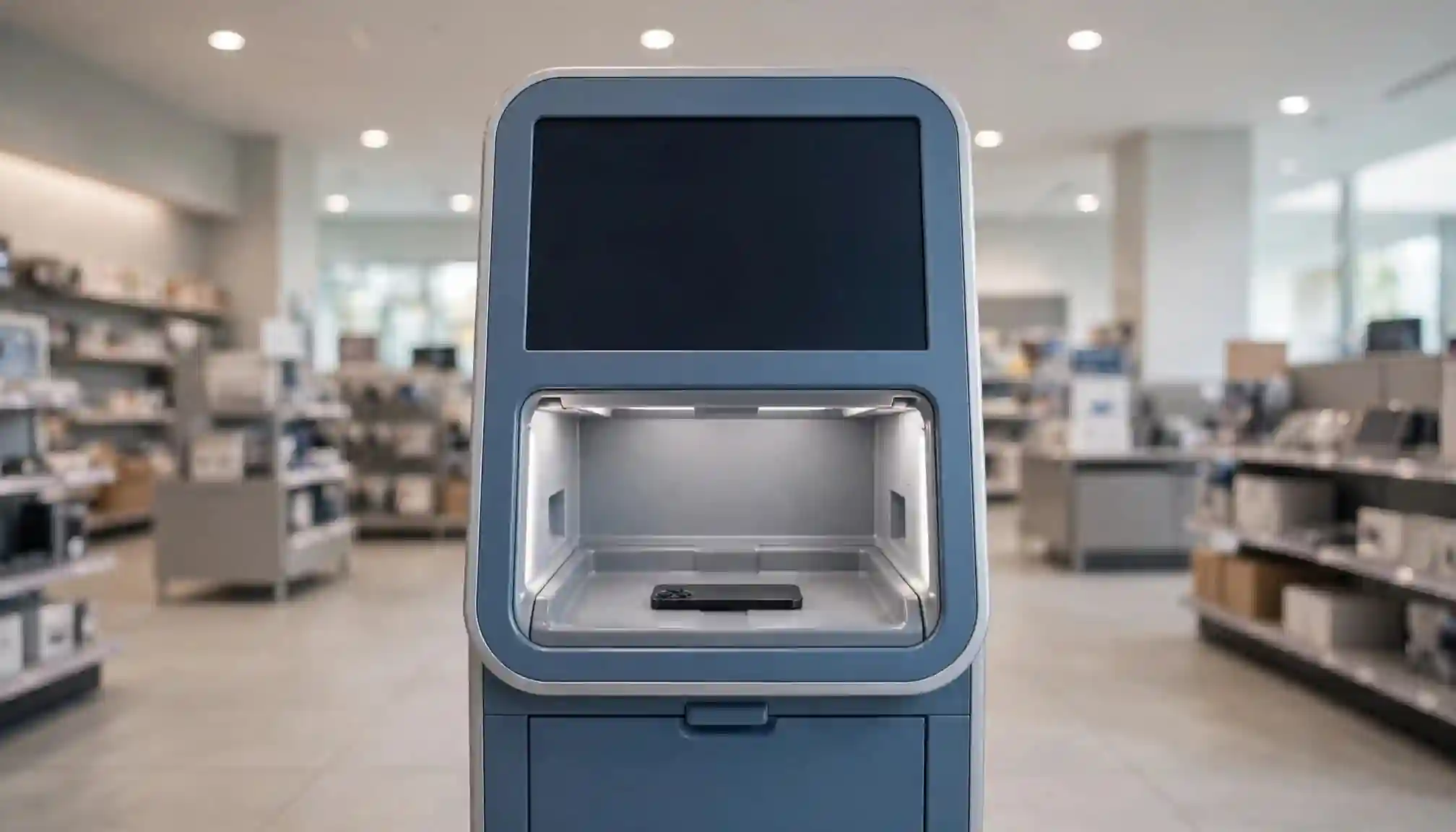
Kiosks are often found in stores, malls, and grocery locations. However, device acceptance can differ by kiosk. Review how ecoATM works before bringing a tablet or older device.
How Does Selling a Phone Through ecoATM Work?
First, locate a nearby kiosk and bring your charged device with valid identification. At the kiosk, place the phone in the inspection area and follow the on-screen instructions.
The system identifies the device, checks its physical condition, and assesses details such as damage and whether it powers on. It then presents a cash offer. You can accept the offer and receive cash at the kiosk, or decline and take your device home.
There is no shipment to prepare and no buyer to meet. Still, the estimated value is not final until the kiosk completes its inspection.
What Devices and Conditions Does ecoATM Accept?
Current ecoATM guidance centers on phones and tablets, although tablet availability varies by kiosk. Some older company materials also mention MP3 players, but that does not mean every kiosk currently accepts them.
The make, model, physical condition, damage, accessibility, and power state all affect eligibility and value. A phone may receive an offer even if it does not turn on. However, ecoATM says powered-on devices earn about $50 more on average.
What ID and Age Requirements Apply?
You must be at least 18 years old to sell a device through ecoATM. Sellers also need valid identification, usually a plastic government-issued or U.S. state-issued ID card.
According to ecoATM's current guidance, it does not accept expired or paper IDs, military IDs, passports, passport cards, or enhanced driver's licenses. If your ID is unusual, check ecoATM's ID guidance before making the trip.
How Are ecoATM Offers and Payments Determined?
The kiosk's offer reflects the device it inspects, not only its model name. Cracks, water damage, missing functionality, and a dead battery can affect the amount offered.
If you accept, ecoATM's stated payment method is cash at the kiosk. The reviewed official information does not show a separate seller, listing, or inspection fee. Still, read the final offer carefully because you are free to decline it.
How to Prepare Your Phone Before Visiting an ecoATM
Protect your information before handing over any device. Charge the phone to at least 30 percent, back up photos and files, remove the SIM card, and remove any memory card.
Then sign out of accounts and complete a factory reset. iPhone owners should turn off Find My before selling because it removes Activation Lock. Apple's Stolen Device Protection can also delay attempts to disable Find My, so don't wait until you are standing at the kiosk.
Android owners should remove Google accounts before resetting the device. The kiosk's inspection does not replace your responsibility to erase personal data.
Check Your Device and Accounts First
Take a few minutes to confirm the phone is no longer linked to your Apple Account, Google account, banking apps, or password manager. Also remove cases and check for a SIM tray or microSD card.
A factory reset may not remove an account lock if Find My or a Google account remains active.
Where Can You Find a Kiosk and What Should You Bring?
Use the ecoATM location finder or mobile app to check nearby kiosks, directions, and local hours. Store hours may differ from kiosk availability, and a kiosk can be temporarily out of service.
Bring the device and your accepted ID. Accessories may help you keep track of your belongings, but they are not always required for a sale. ecoATM's public guidance is focused on U.S. locations.
Is ecoATM a Good Way to Sell an Old Phone?
ecoATM is a practical choice when speed matters. You can receive an in-person offer, avoid shipping, and turn an unused device into cash during a regular shopping trip. It also gives eligible electronics a route toward reuse or recycling.
The tradeoff is price. Kiosk offers can vary, and they may not match a private-party sale, carrier trade-in, or online buyback quote. Eligibility is also limited by the device and ID requirements. Compare options if getting the highest possible return matters more than immediate payment.
Frequently Asked Questions
Can I sell a phone that is locked?
A phone linked to Find My or another account-locking feature may not be eligible. Remove account locks and factory reset the device before visiting. You should also know the relevant account password in case you need it.
Does ecoATM erase my phone for me?
You should not rely on the kiosk as your only data-protection step. Back up what you need, sign out of accounts, remove cards, and factory reset the phone yourself. See ecoATM's device preparation and recycling information for additional guidance.
Can I sell more than one device?
You may bring multiple eligible devices, but each device needs its own inspection and offer. The kiosk can decline any item that does not meet its acceptance requirements.
What happens if I decline the offer?
You keep your device. Accepting an offer is optional, so declining does not obligate you to complete the transaction.
Final Thoughts
ecoATM offers a convenient way to sell eligible used phones and some other electronics for cash. Its strongest appeal is immediate payment without shipping or arranging a private sale.
Bring valid ID, charge the device, turn off account-locking features, erase your data, and review the offer before accepting. Convenience may be worth more than a longer price search when you need a quick, in-person option.
Ready to start your vending business in NYC?
Browse 187+ Verified Vending Businesses & Locations →